Terraform — WordPress Stack on AWS EC2
Built a fully declarative Terraform configuration that provisions a WordPress stack on AWS from scratch — EC2 instance, security group rules and a cloud-init bootstrap that installs the web server, database and WordPress dependencies — finishing with a live public endpoint serving the WordPress installer.
- Problem
- Building a WordPress server by hand was slow and came out different every time.
- Services & tools
- TerraformEC2Security GroupsUser data
- Result
- One terraform apply goes from nothing to a live WordPress installer, with no SSH.
Architecture
- Step 1: terraform apply plans and creates everything from code: provider, resources, variables, outputs.
- Step 2: Terraform creates the security group (HTTP + SSH) and the EC2 instance.
- Step 3: User data installs the web server, MySQL and WordPress at first boot. No SSH needed.
- Step 4: outputs.tf prints the instance ID, public IP and AZ after every apply.
- Step 5: Visitors reach the live WordPress installer on the public IP.
- Full stack provisioning
- 1 command
- OS & app install automated
- 0 manual steps
- Identical env on every apply
- Repeatable
Why it matters
Hours of console clicking collapse into a single terraform apply, with no configuration drift between builds. Every resource is codified, so environments are auditable, quick to tear down and easy to recover.
The problem in detail
Standing up a WordPress server by hand means a long sequence of console steps and SSH commands: launch an instance, configure inbound rules, install packages, wire up a database and deploy the application — every run slightly different, every step a chance for a misconfigured rule or a missed dependency. The task was to express that entire build as code: a main.tf with the provider and EC2 resource, variables.tf for inputs, outputs.tf for runtime metadata and an embedded user data script, producing a successful WordPress installation reachable on a public endpoint with no manual intervention.
What I built
- 01
Structured the project as a standard Terraform layout — main.tf for the AWS provider and resources, variables.tf for inputs, and outputs.tf to expose instance details after apply.
- 02
Declared input variables for the instance type and security group name (t3.micro, WordPress-sg), making the configuration reusable across environments without editing the core code.
- 03
Provisioned an EC2 instance from an Amazon Linux AMI with an associated security group managing inbound HTTP and SSH traffic rules.
- 04
Automated the application layer with a user data / cloud-init script that bootstraps the instance at launch — installing the web server, MySQL and WordPress dependencies with zero manual SSH work.
- 05
Ran terraform apply to plan and create the resources, then iterated: changing the instance input forced a destroy-and-recreate, proving the configuration is the single source of truth.
- 06
Exposed the public endpoint dynamically through outputs.tf — instance ID, public/private IP, availability zone and instance type printed after every apply — and verified the live WordPress installer over the public IP.
Evidence
01 / 05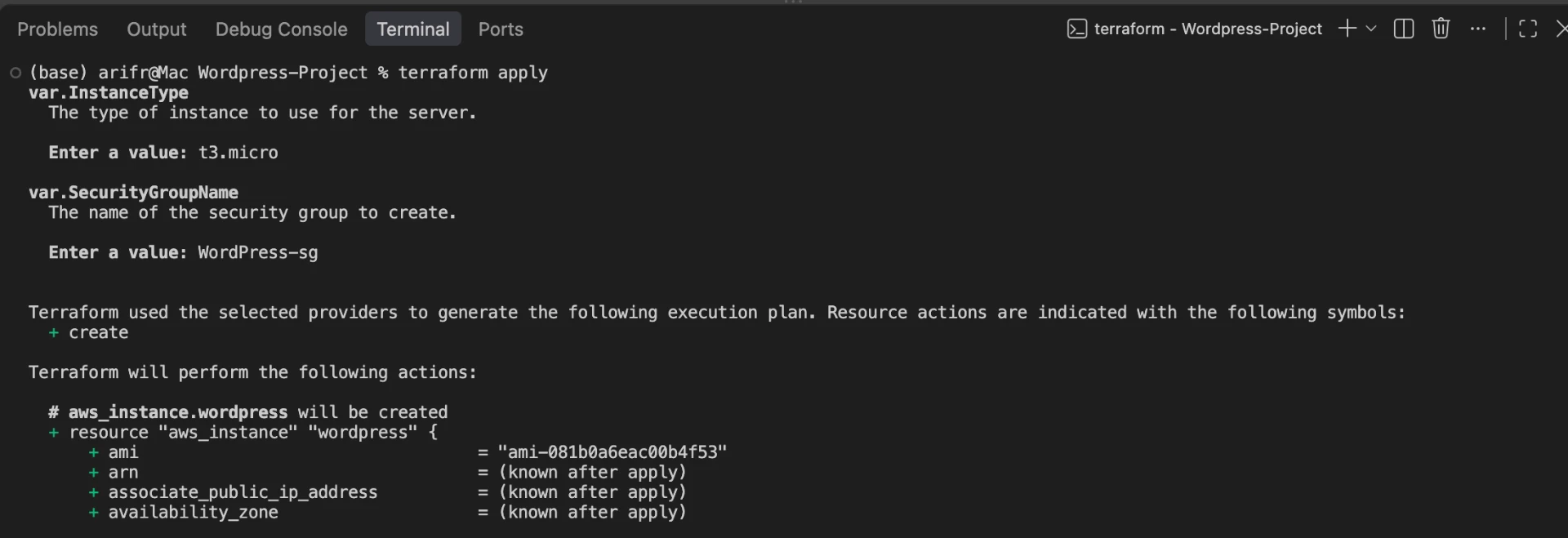
Stage 01 — terraform apply prompting for input variables (instance type t3.micro, security group name WordPress-sg) and generating the execution plan for the EC2 resource.